




Latest Version
August 29, 2026
Innovative Connecting
Tools
Android
3
Free
free.vpn.unblock.proxy.turbovpn
Report a Problem
More About Turbo VPN - Secure VPN Proxy
What Is Turbo VPN?
Turbo VPN is a VPN and proxy application for Android that is designed to provide an encrypted connection between your device and the internet. The app is developed by Innovative Connecting and is listed on AppFluxet under the Tools and Android sections.
Turbo VPN Features
Turbo VPN provides several features intended for everyday internet use, including VPN connections, proxy functionality, multiple connection protocols, and support for Wi-Fi and mobile data connections.
According to the developer-provided information, the application is designed to help users connect through VPN servers and protect network traffic when using public or private networks.
Key features include:
VPN and proxy connections
Support for Android devices
Multiple connection protocols
Encrypted network traffic
Wi-Fi and mobile data compatibility
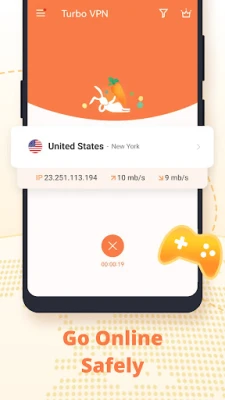
Simple one-tap connection process
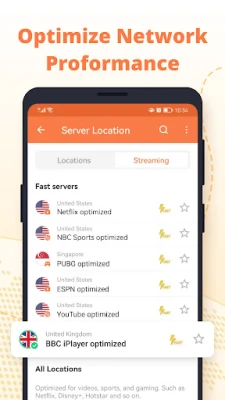
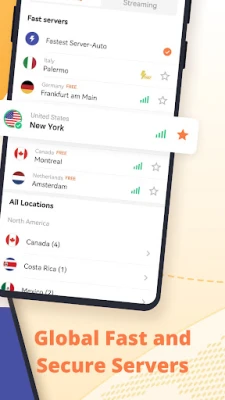
VPN servers for different connection locations
How to Use Turbo VPN
After installing Turbo VPN, open the application and select an available VPN server. Start the connection and wait until the VPN connection is established. The available server locations and connection performance can vary depending on the network and service conditions.
Is Turbo VPN Safe?
A VPN can help protect network traffic between a device and a VPN server, but using a VPN does not make a user completely anonymous or guarantee that every website or online service is safe.
Users should review the application's privacy policy and terms of service before using the service, particularly when using a VPN for sensitive activities.
AppFluxet recommends checking the developer's official documentation for the latest information about security features, data handling, and privacy practices.
Turbo VPN Pros and Cons
Pros
Simple VPN connection process
Designed for Android users
Supports VPN and proxy functionality
Provides multiple connection protocols
Works with Wi-Fi and mobile networks
Cons
Connection performance can vary depending on the network and server
Available features may change between versions
Users should review the developer's privacy and service policies before installation
Turbo VPN Alternatives
If Turbo VPN does not meet your requirements, you can explore other VPN applications on AppFluxet. Related options include Proton VPN, ExpressVPN, Surfshark, Windscribe, and other VPN applications available in the Security and Tools categories.
Latest Version
Check the version information shown in the Latest Version section above before installing Turbo VPN. AppFluxet should display the version number only when reliable version data is available.
Frequently Asked Questions
Is Turbo VPN free?
Turbo VPN is listed on AppFluxet as a free application. Availability of specific features may depend on the application version and service conditions.
What platform does Turbo VPN support?
The AppFluxet listing identifies Android as the supported platform for this application.
Who develops Turbo VPN?
Turbo VPN is listed as being developed by Innovative Connecting.
Does Turbo VPN support VPN connections?
Yes. VPN and proxy connectivity are among the functions described for the application.
Where can I find Turbo VPN alternatives?
You can explore related VPN applications through the Security, Internet, and Tools categories on AppFluxet.
Rate the App
User Reviews












Popular Apps










Editor's Choice










 AI & Machine Learning
 Business
 Communication
 Design & Creativity
 Education
 Entertainment
 Finance
 Games
Games Health & Fitness
 Internet
 Media
Media Productivity
 Security
 Social
 Tools
Tools Android
 iOS
iOS Windows
 Mac
Mac Linux
Linux